



Install as App
It's possible to install this website as an application on your mobile or desktop. Please click on the supported browsers below and follow the intructions.
Supported Browsers
Platform: Windows / Mac / Android



Install directly from your browser's address bar.
-
1
Click install icon
Click the install icon in the address bar (top right).

-
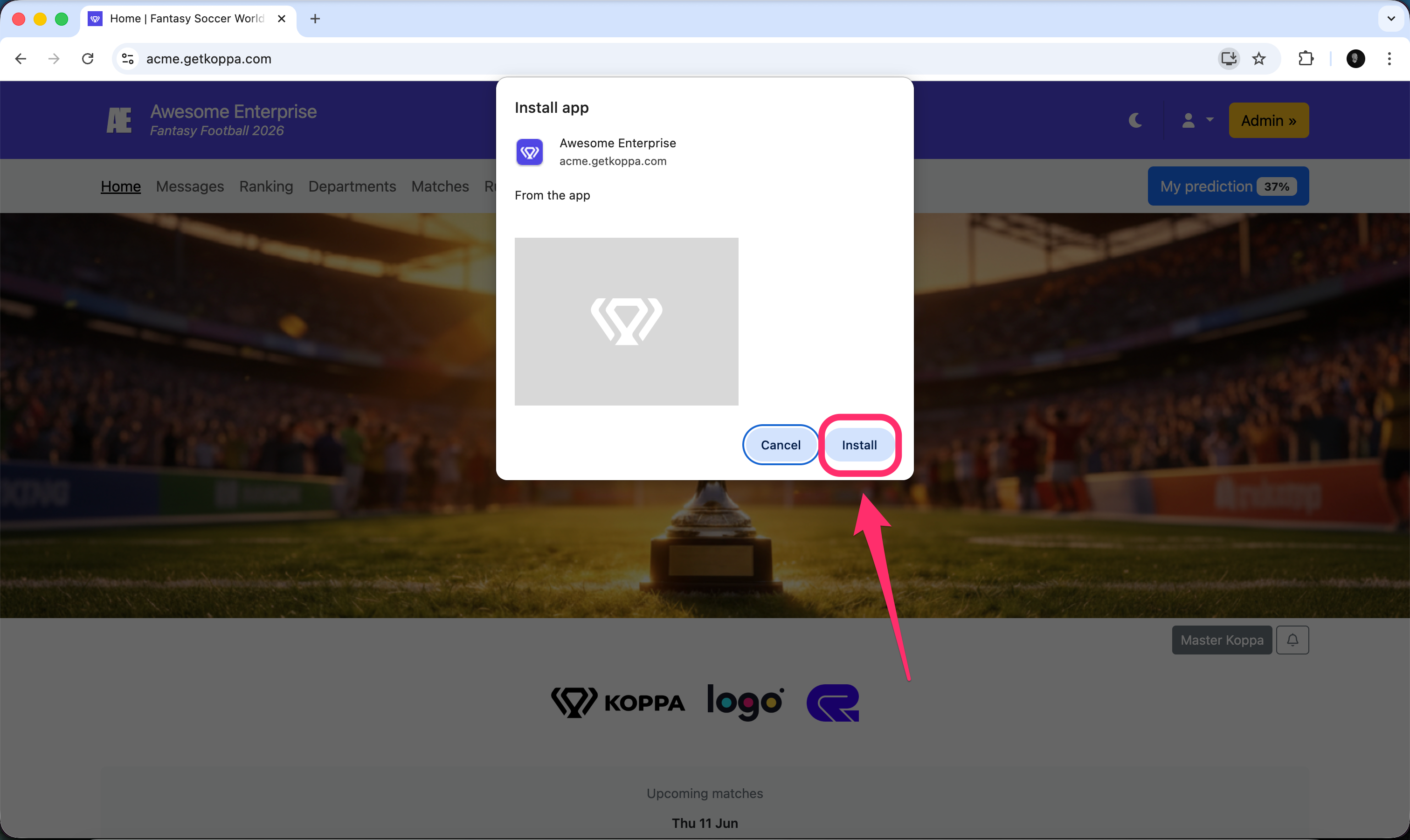
2
Click Install
Click Install in the confirmation dialog.
-
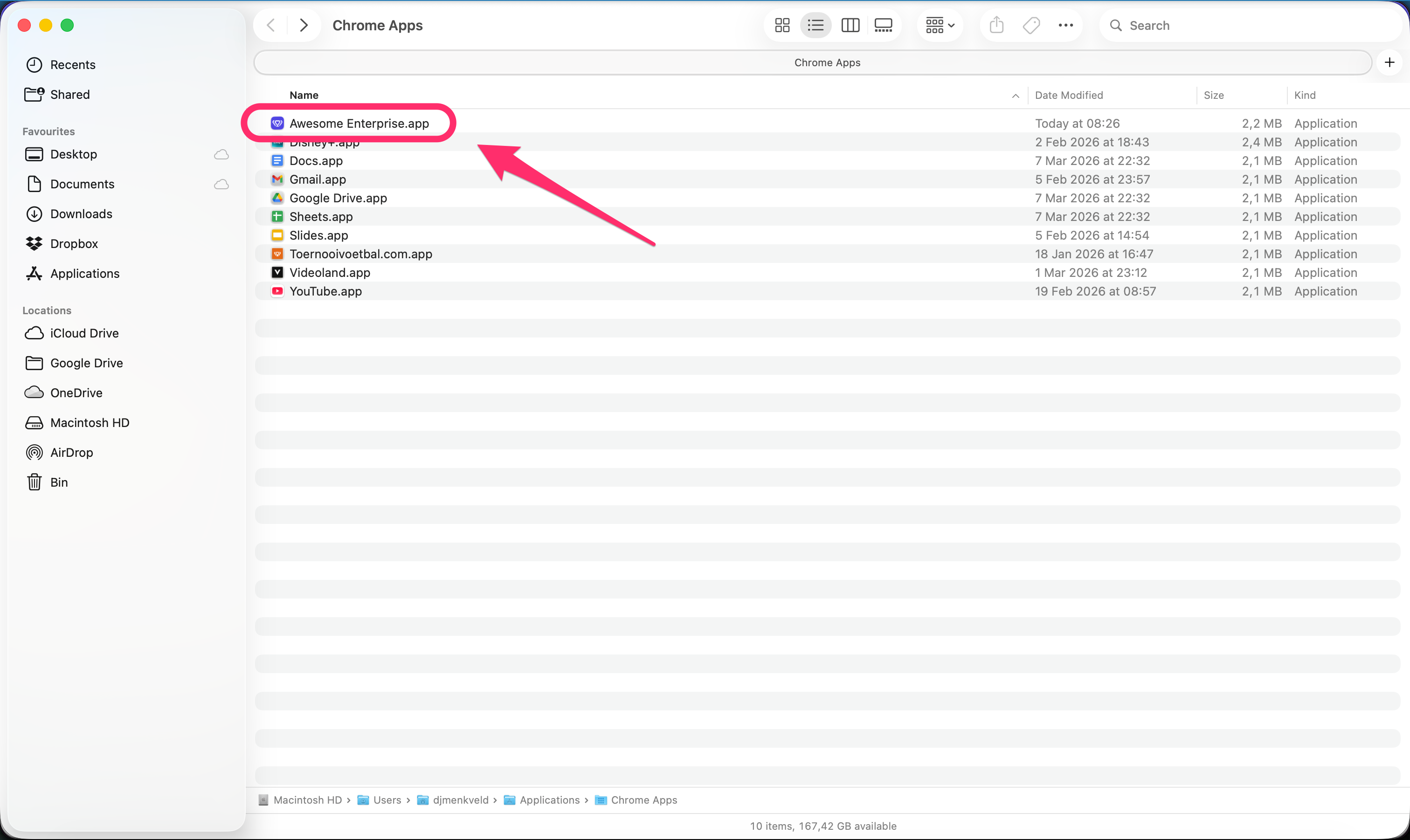
3
App saved
The app is saved to your Applications folder.
-
4
Open app
The app opens in its own window — just like a native app.

Chrome can usually install the app directly from the button above.
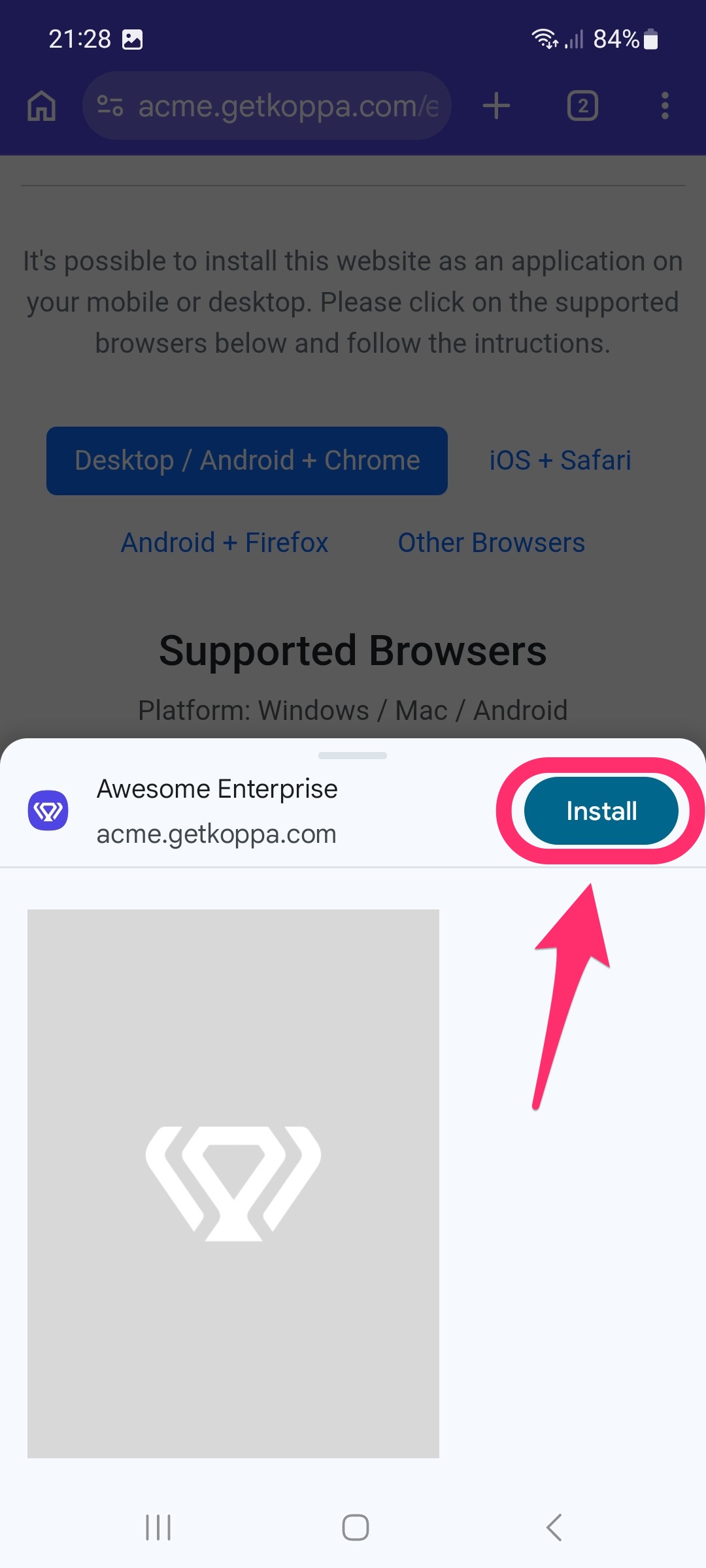
If Android shows a confirmation sheet, follow these three quick steps.
-
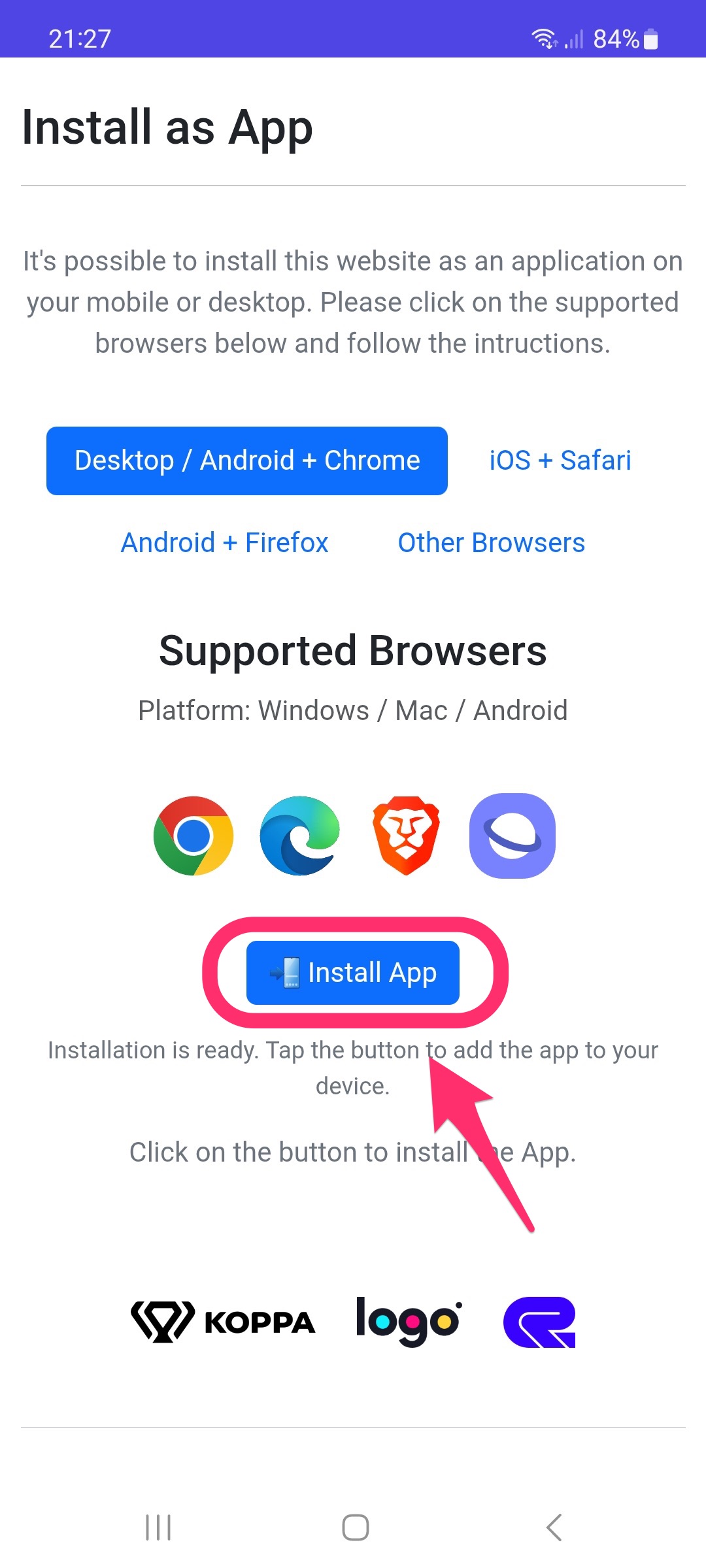
1
Install app
Tap Install App on this page.
-
2
Confirm
Tap Install in the Android confirmation sheet.
-
3
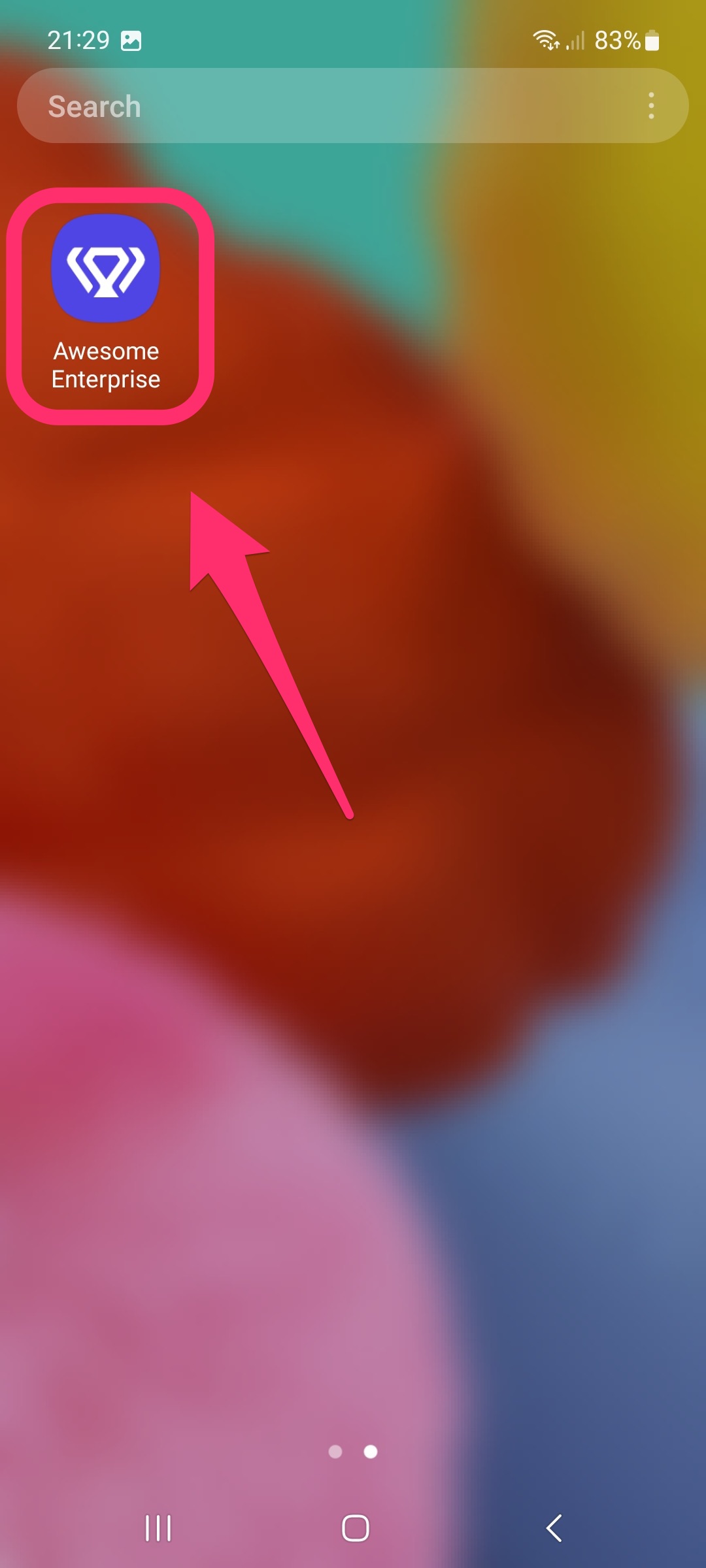
Open from Home screen
The new app icon appears on your Android Home screen.
iOS + Safari
Platform: iOS
Install this app on your iPhone in five quick steps.
-
1
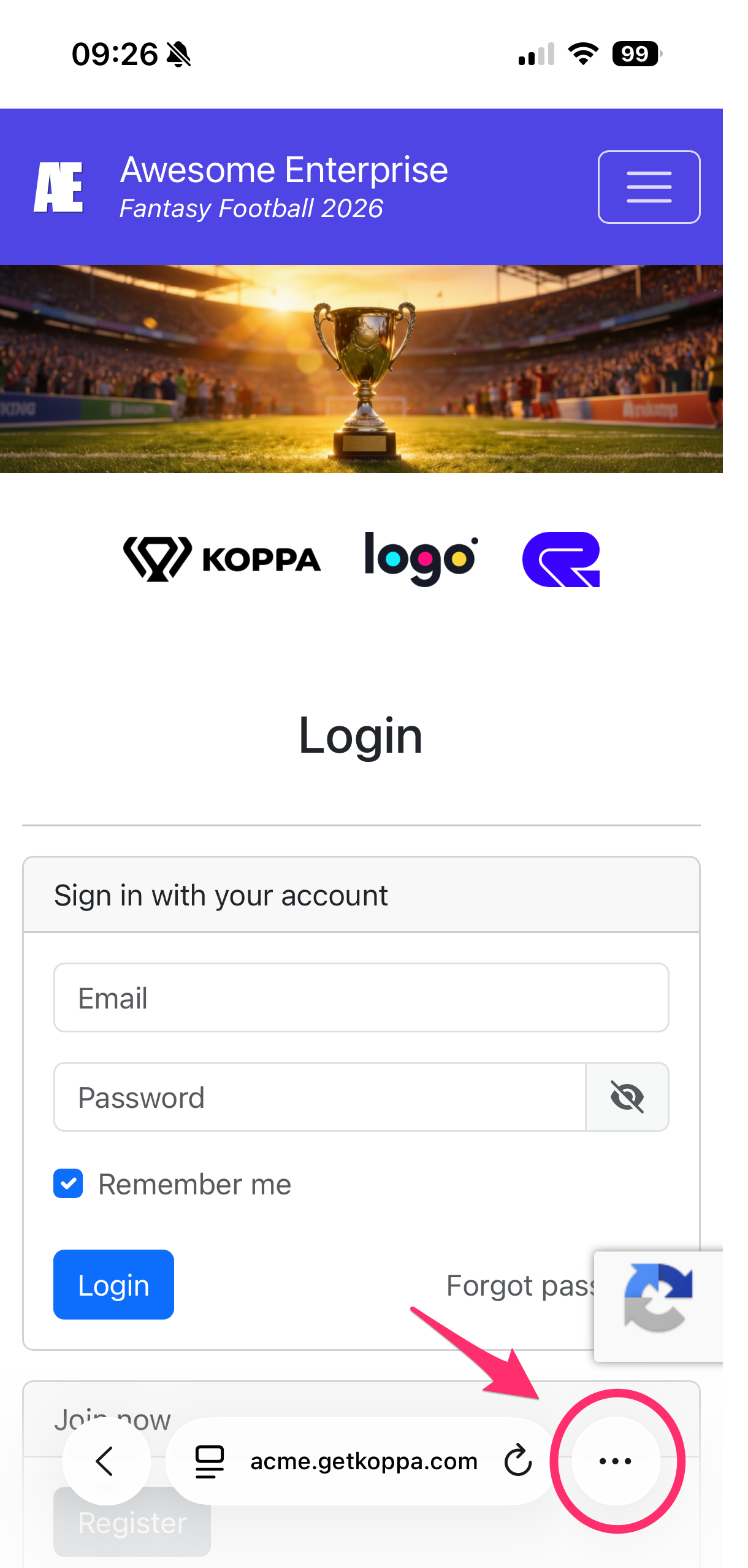
Menu
Tap the menu button at the bottom right
-
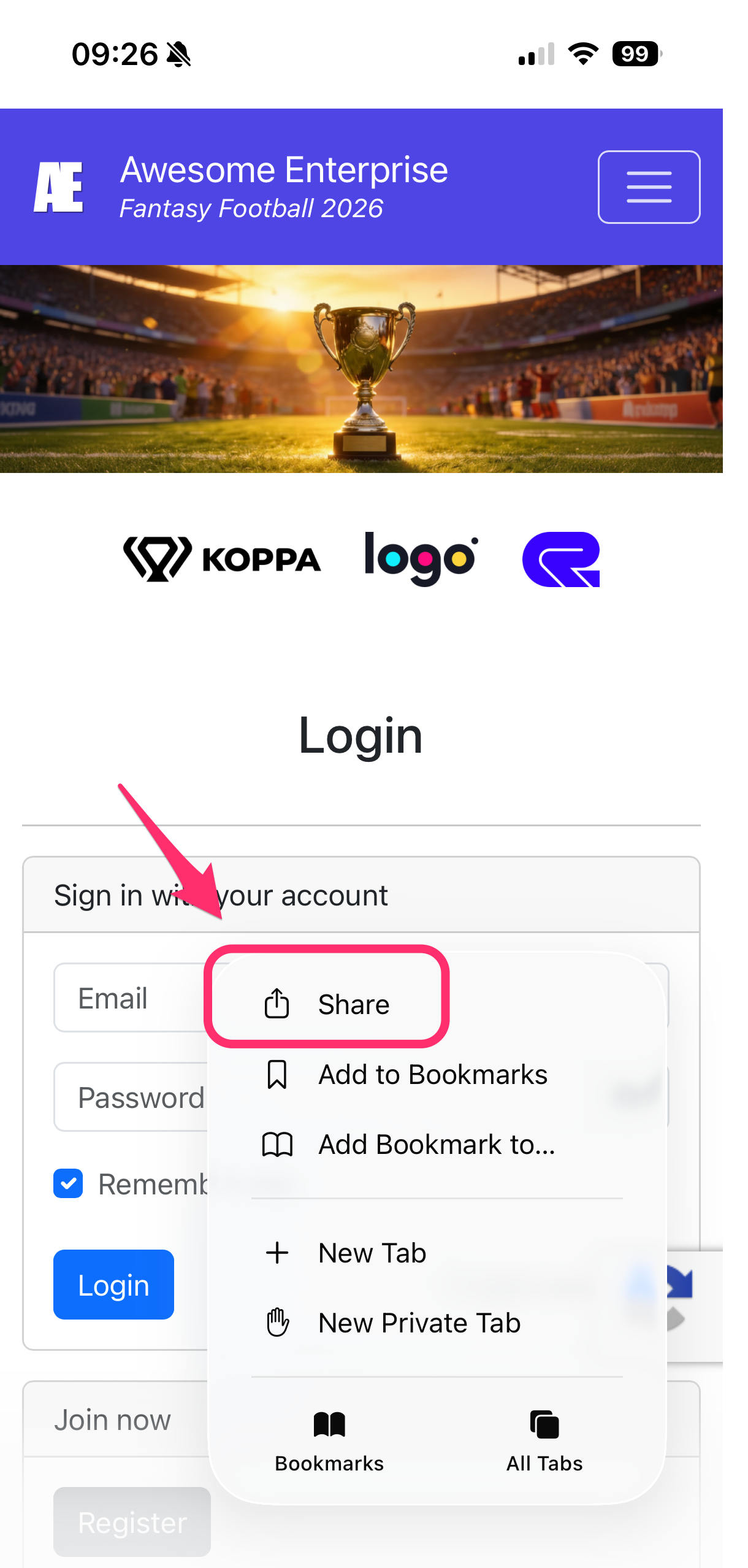
2
Share button
Tap the Share button (📤) at the bottom of the screen
-
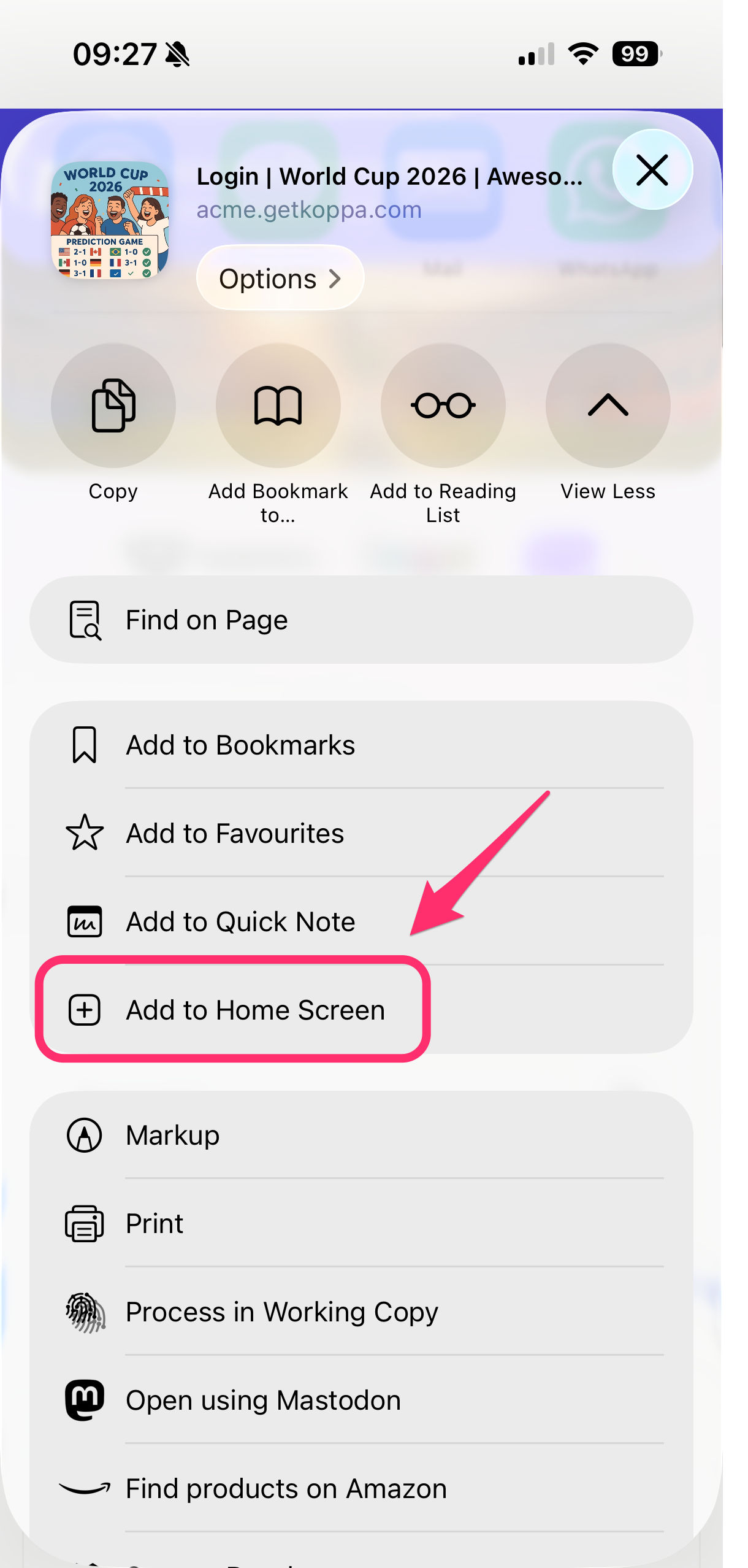
3
Add to Home Screen
Scroll down and tap “Add to Home Screen”
-
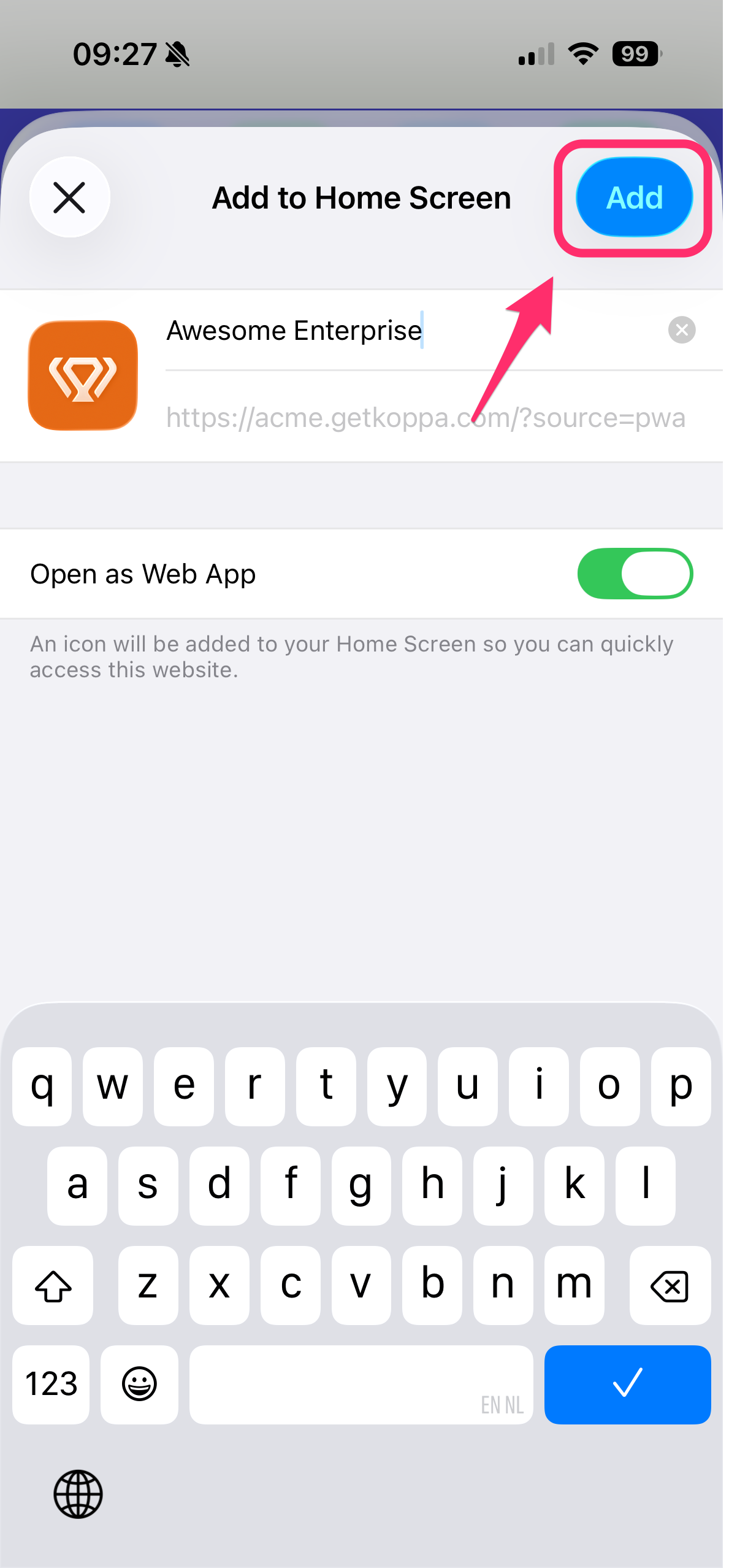
4
Add
Tap “Add” in the top right
-
5
Open app
Open the new app icon from your Home screen
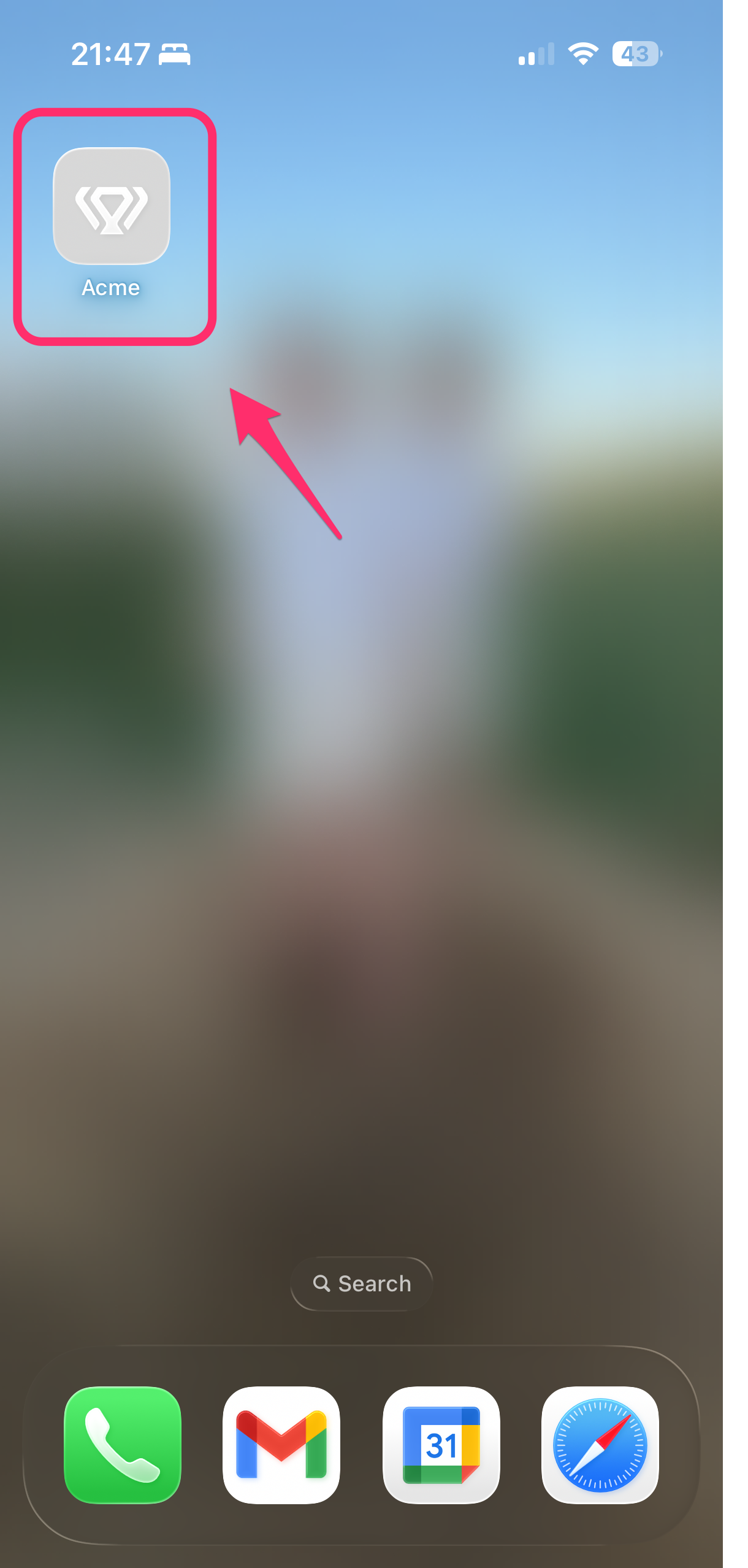
✅ Done! The app will appear on your home screen.
⚠️ Don’t see the option? Make sure you’re using Safari.
Official Apple instructionsAndroid + Firefox
Platform: Android

Firefox installs this app through the browser menu in five quick steps.
-
1
Menu
Tap the three-dot menu in Firefox.

-
2
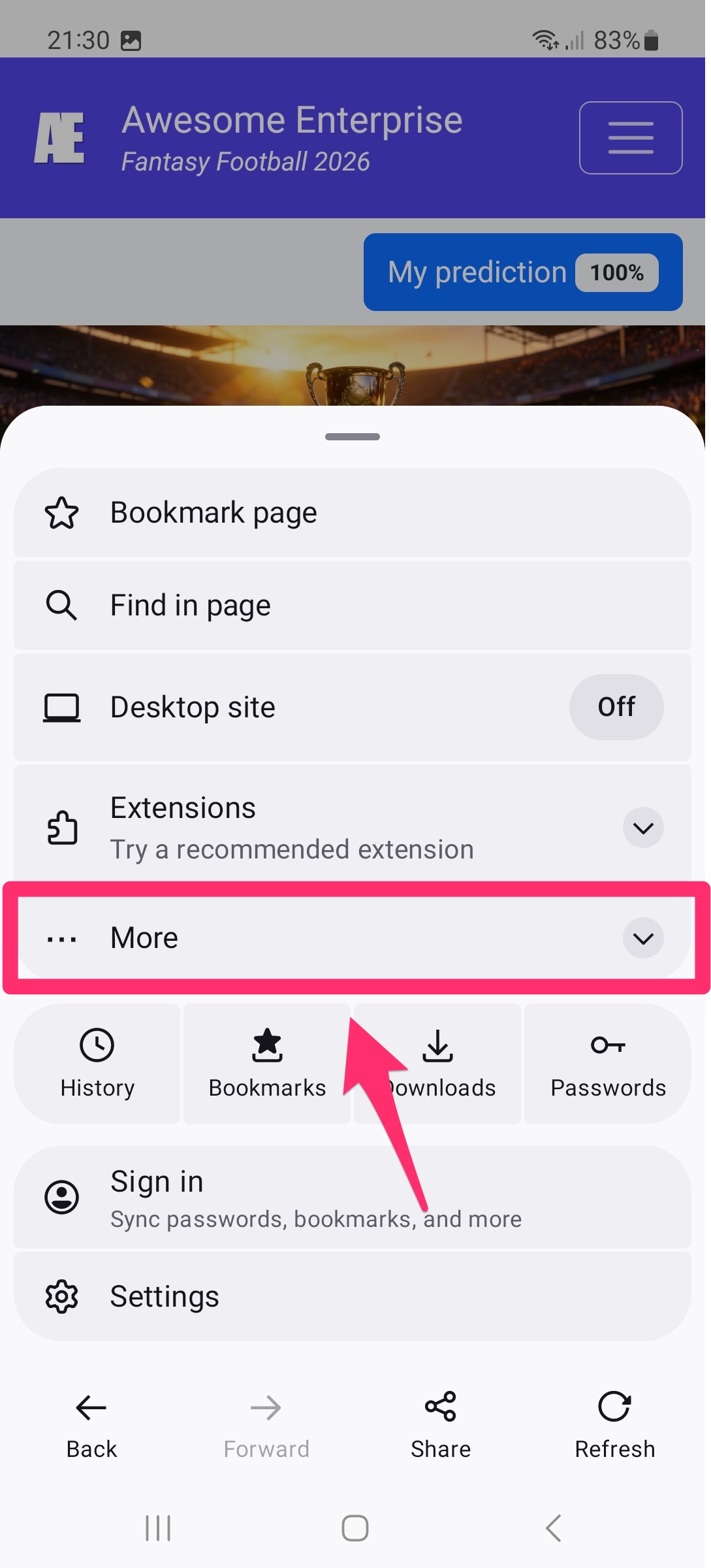
More
Expand More in the Firefox menu.
-
3
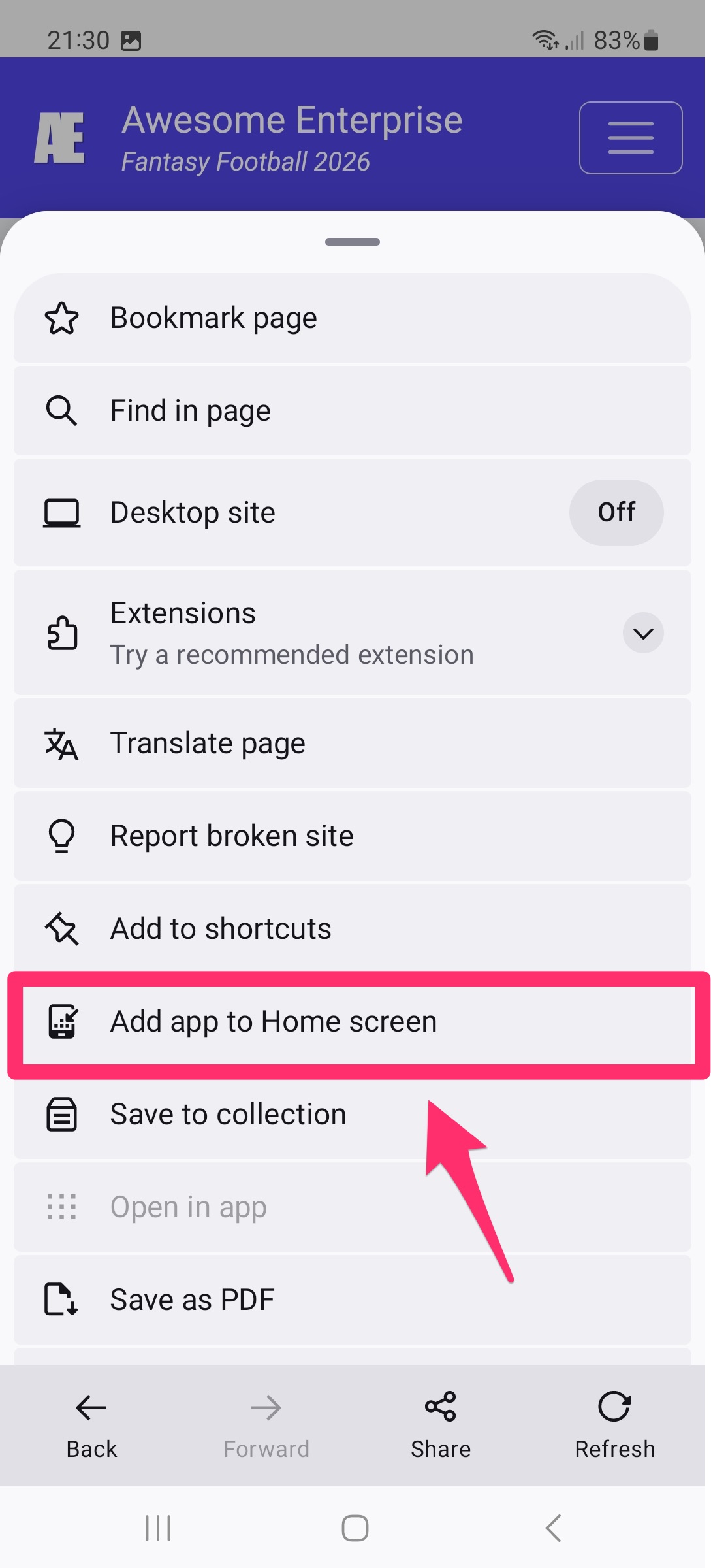
Home Screen
Tap Add app to Home screen.
-
4
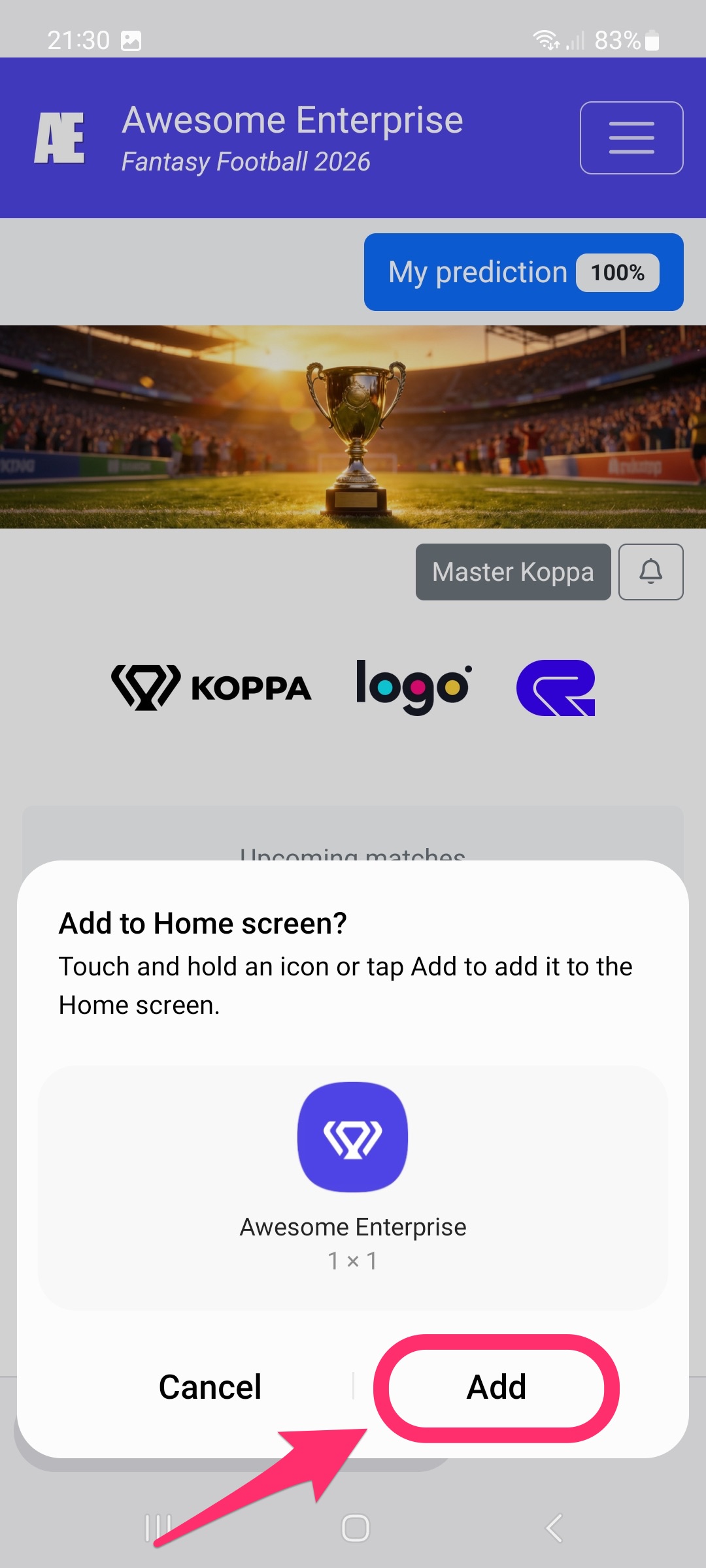
Add
Tap Add to confirm.
-
5
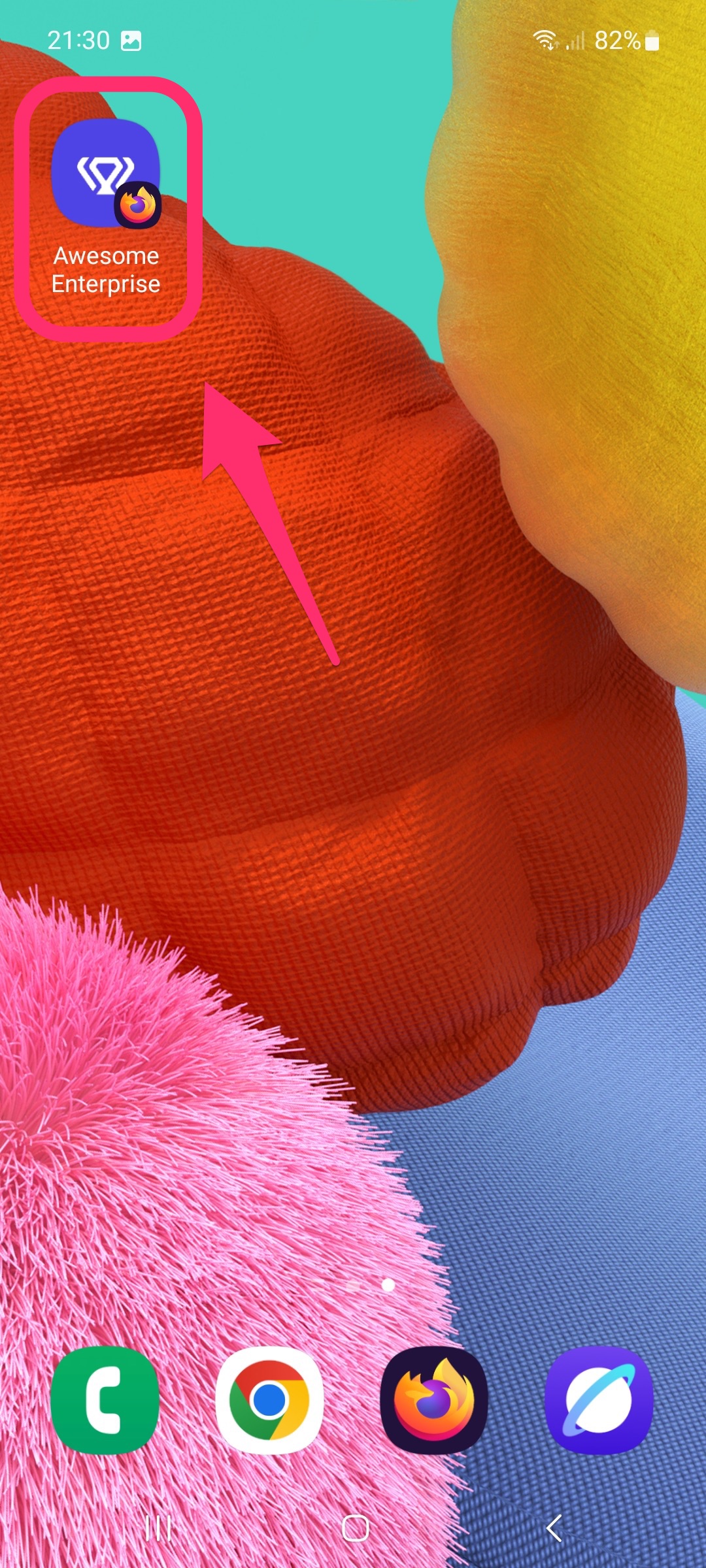
Done
The app icon appears on your Android Home screen.
Other Browsers
Platform: -

Other browsers are not supported.